Modern boardrooms are no longer limited to people sitting around the same table. With hybrid meetings becoming a regular part of business communication, companies need video systems that can capture speakers clearly and provide remote participants with a natural view of the room.
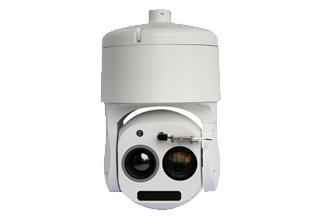
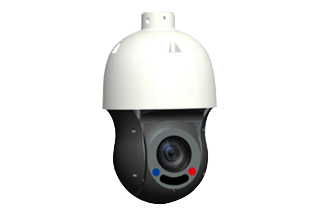
A PTZ camera can provide a practical foundation for an automated boardroom video system. With pan, tilt, and optical zoom functions, a PTZ camera can cover different areas of a meeting room while presets, speaker tracking, auto framing, and centralized control reduce the need for manual camera operation.
When properly designed, an automated PTZ camera system can make boardroom meetings more consistent, easier to manage, and more professional.
How to Automate PTZ Camera Movement
There are several approaches to automating a boardroom camera.
Preset Positions
Presets are one of the simplest forms of PTZ automation.
A camera can store predefined positions for:
-
Conference table
-
Meeting chair
-
Presentation area
-
Whiteboard
-
Entrance
-
Audience
Once these positions are configured, the system can move the camera to the required angle with a command.
For example, a "presentation" preset might show the presenter and display, while a "discussion" preset provides a wider view of the conference table.
Speaker Tracking
Speaker tracking takes automation a step further.
When the system detects an active speaker, it can determine the speaker's approximate position and direct the PTZ camera toward that location.
The camera can then pan, tilt, and zoom to create an appropriate composition.
This is especially useful in larger boardrooms where participants are distributed across a long conference table.
Voice-Triggered Camera Control
Another approach is to connect the microphone system to the camera-control system.
The basic workflow can be:
Microphone detects speaker → Speaker location is identified → Control system selects camera position → PTZ camera moves → Speaker is framed
This approach can reduce unnecessary camera movement and provide consistent views during discussions.
Auto Framing
Auto framing uses participant detection to automatically adjust the composition.
Instead of focusing on only one speaker, the camera can identify multiple people and create a suitable group shot. This can be useful at the beginning of a meeting, during group discussions, or when several participants are speaking.
Presentation Tracking
Boardrooms are also frequently used for presentations. A presenter may move between the conference table, display, and whiteboard.
With presentation tracking, the camera can follow the presenter rather than remaining fixed on one preset.
This can be particularly useful for training sessions, executive presentations, product demonstrations, and internal events.
What PTZ Camera Features Matter Most?
High-Resolution Video
High-resolution video helps remote participants see faces, gestures, and presentation details more clearly.
For larger rooms, higher resolution can also provide more flexibility when framing different areas.
Optical Zoom
Optical zoom is particularly useful when participants are located far from the camera.
It allows the camera to capture a closer view without relying solely on digital enlargement.
Smooth PTZ Movement
Camera movement should be smooth and predictable.
Abrupt movement can distract participants and make the remote meeting experience uncomfortable. Smooth transitions between presets are especially important in executive and professional boardrooms.
Auto Tracking
Auto tracking can reduce the need for manual camera operation.
However, tracking performance depends on room layout, lighting, participant movement, microphone positioning, and the camera's underlying tracking technology.
Low-Light Performance
Boardrooms can have uneven lighting caused by windows, ceiling lights, presentation displays, or dimmed lighting during presentations.
A camera with good low-light performance can help maintain consistent image quality under these conditions.
Network Connectivity
Network-enabled PTZ cameras can simplify remote management and integration with larger AV systems.
IP-based control can also make it easier to manage multiple cameras from a centralized system.
Security and Privacy Considerations
Network-connected PTZ cameras should be treated as part of the organization's IT and AV infrastructure.
Recommended measures include:
-
Restricting camera-control access to authorized users
-
Protecting network interfaces
-
Using secure authentication
-
Keeping camera firmware updated
-
Separating sensitive AV systems where appropriate
-
Enabling privacy functions when meetings are not taking place
These measures become increasingly important when cameras can be controlled remotely.
Automating boardroom video with a PTZ camera can significantly improve the consistency and efficiency of hybrid meetings. By combining PTZ presets, speaker tracking, auto framing, microphone detection, and centralized control, organizations can create professional video experiences without requiring an operator to manually control the camera throughout every meeting.
The most important step is not simply choosing a camera with the most features. The camera must be matched to the room layout, seating arrangement, lighting, microphone system, network infrastructure, and meeting workflow.
With the right combination of PTZ camera technology, intelligent tracking, reliable audio, and room automation, a conventional boardroom can become a flexible and professional video conferencing environment.