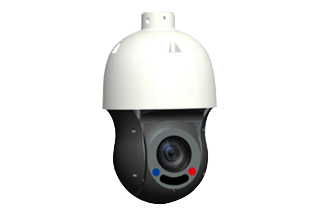
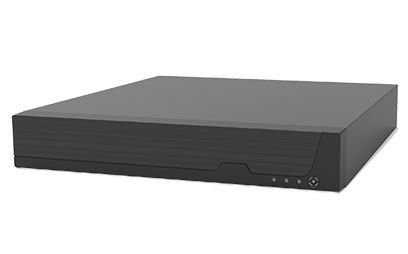
False alarms are one of the most common challenges in video surveillance. In commercial buildings, warehouses, retail stores, factories, and outdoor facilities, security cameras continuously capture activity from people, vehicles, lighting changes, and environmental conditions. Without effective detection technology, these events can generate unnecessary alerts, increase the workload of security personnel, and make it harder to identify genuine threats.
A Network Video Recorder (NVR) system can help address this problem by combining IP cameras, motion detection algorithms, configurable alert rules, and intelligent video analytics. Instead of treating every movement as a potential security incident, modern NVR systems can use configurable detection zones, object classification, sensitivity adjustments, and event verification to filter out irrelevant activity.
Understanding how NVR motion detection works can help businesses build more reliable surveillance systems, improve monitoring efficiency, and reduce unnecessary security notifications.
Why Do False Alarms Occur in Video Surveillance?
False alarms happen when a surveillance system generates an alert that does not represent a meaningful security event. Several factors can contribute to this problem.
1. Changes in Lighting Conditions
Headlights, passing clouds, sunlight reflections, and sudden exposure changes can alter the brightness of a camera image. Basic motion detection algorithms may interpret these changes as movement.
For example, a camera monitoring a warehouse entrance may trigger repeated alerts when sunlight moves across the floor, even when no person enters the building.
2. Environmental Movement
Outdoor cameras frequently encounter moving trees, leaves, rain, snow, insects, and airborne dust. These objects can produce continuous changes in the image and trigger motion alerts.
Cameras overlooking roads or open areas may also detect moving vehicles that are irrelevant to the monitored zone.
3. Incorrect Sensitivity Settings
Motion sensitivity determines how much image change is required to trigger an event. If sensitivity is too high, minor changes may generate alerts. If it is too low, genuine activity may go undetected.
Finding the appropriate balance is essential for reliable surveillance.
4. Poor Camera Placement
A camera positioned toward a busy road, reflective window, moving machinery, or frequently changing light source may generate excessive alerts.
Incorrect camera angles can also make it difficult to distinguish movement within a protected area from activity outside the intended monitoring zone.
5. Inadequate Detection Rules
Some installations use the same motion detection settings across every camera, even though each location has different monitoring requirements.
A loading dock, an office corridor, a parking lot, and a restricted equipment room rarely benefit from identical detection parameters.
How NVR Systems Reduce False Alarms with Motion Detection
Modern NVR systems can use several complementary techniques to improve event accuracy. The availability of each function depends on the NVR model, connected camera capabilities, and supported software features.
1. Adjustable Motion Detection Sensitivity
Sensitivity settings control how readily the system identifies changes in video as motion events.
When sensitivity is too high, small changes caused by shadows, reflections, or environmental movement may trigger alerts. Reducing sensitivity can eliminate some of these events.
However, setting sensitivity too low may cause the system to miss people moving slowly or objects appearing in low-contrast scenes.
The most effective approach is to adjust sensitivity based on actual scene conditions and test the results during different lighting conditions and periods of activity.
2. Configurable Motion Detection Zones
Motion detection zones allow administrators to specify which areas of the camera image should trigger alerts.
For example, a warehouse camera may monitor a restricted storage entrance while ignoring movement in a public corridor. A parking lot camera may focus on vehicle access points rather than nearby pedestrian sidewalks.
By excluding irrelevant areas, businesses can reduce unnecessary notifications without disabling motion detection across the entire camera view.
Useful applications include:
-
Retail stores: Focus on entrances, checkout areas, and restricted stockrooms.
-
Warehouses: Monitor loading bays, emergency exits, and high-value inventory zones.
-
Offices: Detect movement near server rooms and restricted-access doors.
-
Factories: Monitor hazardous areas and equipment access points.
-
Parking facilities: Define detection zones around entrances, gates, and designated parking areas.
Zone configuration is particularly valuable when cameras cover both protected and public spaces.
3. AI-Based Human and Vehicle Detection
One of the most effective ways to reduce false alarms is to distinguish relevant objects from general image movement.
AI-enabled surveillance systems may use deep-learning algorithms to classify detected objects as people, vehicles, or other categories. Instead of triggering an alert whenever pixels change, the system can apply rules that focus on selected object types.
For example, an outdoor camera may detect leaves moving in the wind but issue an alert only when a person enters a designated restricted zone.
AI-based detection can also help distinguish vehicle activity from pedestrian movement, making it useful for warehouses, parking facilities, industrial sites, and commercial entrances.
It is important to distinguish ordinary motion detection from AI classification. Not every NVR supports AI analytics, and some features require compatible cameras with onboard intelligence. Buyers should verify camera-NVR compatibility and the supported detection functions before purchasing a system.
4. Object Size and Detection Thresholds
Some advanced surveillance platforms allow administrators to configure minimum object sizes or other detection thresholds.
These controls can help filter out small objects, such as insects close to the camera lens, that might otherwise trigger an event.
Other systems support object tracking, detection confidence thresholds, or rules based on the duration and location of an object's presence.
These capabilities vary significantly between products. They should be treated as optional features rather than standard functions of every NVR.
5. Line-Crossing and Intrusion Detection
General motion detection reacts to changes across a video image. More advanced event rules can focus on specific security conditions.
Line-crossing detection identifies when an object crosses a virtual line in a specified direction. Intrusion detection identifies objects entering a predefined region, sometimes with additional conditions based on dwell time or object classification.
For example, a factory may configure a virtual boundary around a restricted production area. Movement outside the boundary may be ignored, while a person crossing into the restricted zone generates an alert.
These rules reduce irrelevant notifications by defining what type of movement matters, rather than responding to every visible change.
6. Event Duration and Trigger Rules
Some NVR platforms allow users to configure motion duration, trigger intervals, event persistence, or notification delays.
These settings can help prevent repeated alerts caused by brief, insignificant changes. For instance, a system may require qualifying activity to persist for a defined period before sending a notification, where supported.
Administrators can also configure alert schedules to match operating hours. A retail store might use different notification rules during business hours and after closing.
Such settings must be configured carefully. Excessive delays or restrictive rules may postpone important alerts or prevent genuine events from triggering a notification.
How to Optimize NVR Motion Detection for Different Industries
The most effective configuration depends on the environment and the type of activity that represents a security concern.
Retail Stores
Retail environments contain frequent customer movement, changing lighting, and reflections from glass displays.
To reduce unnecessary alerts, administrators can define detection zones around entrances, stockrooms, cash-handling areas, and restricted spaces. AI-based person detection may help prioritize events after closing hours.
Motion-triggered recording can also simplify footage searches when investigating inventory discrepancies or suspected theft.
Warehouses and Distribution Centers
Warehouses often contain forklifts, loading vehicles, workers, and moving equipment.
Detection rules should distinguish routine operational activity from unauthorized access. For example, an NVR may monitor emergency exits after business hours while using separate rules for loading areas during scheduled operations.
Human and vehicle classification can be particularly helpful when supported by compatible cameras and analytics software.
Manufacturing Facilities
Factories may contain vibrating machinery, changing illumination, heat-related visual distortion, and continuous movement.
Cameras should be positioned to minimize irrelevant background activity. Detection zones can focus on restricted equipment areas, perimeter entrances, and locations containing valuable assets.
For critical industrial environments, motion detection should complement—not replace—appropriate access control, safety interlocks, and dedicated industrial monitoring systems.
Parking Lots and Outdoor Perimeters
Outdoor environments present additional challenges because of wind, precipitation, shadows, vehicle headlights, and changing daylight.
Useful measures include adjusting detection zones, optimizing camera angles, enabling supported human or vehicle classification, and testing the system under different weather conditions.
Where available, infrared illumination, suitable low-light cameras, and wide-dynamic-range imaging can improve image quality. Better images may support more reliable analytics, although they cannot guarantee that false alarms will be eliminated.
Measuring the Effectiveness of Motion Detection
Businesses should evaluate NVR performance using operational results rather than relying solely on advertised detection features.
Several useful metrics include:
-
False alert rate: The proportion of generated alerts that do not correspond to meaningful events.
-
Detection rate: The proportion of relevant events that the system successfully identifies.
-
Alert response time: The time between an event occurring and the alert reaching the appropriate personnel.
-
Investigation time: How long staff spend locating and reviewing relevant footage.
-
Storage efficiency: Whether event-based recording and retention policies use available storage effectively.
For example, if a warehouse receives hundreds of irrelevant alerts every day, administrators can record the initial alert volume, revise detection zones and classification rules, and compare results over the following weeks.
A successful configuration should reduce unnecessary notifications without causing a meaningful increase in missed security incidents.
NVR systems use motion detection to make video surveillance more efficient by identifying activity, triggering event-based recording, and helping security personnel focus on relevant footage. Adjustable sensitivity, configurable detection zones, line-crossing rules, intrusion detection, and AI-powered object classification can all contribute to reducing false alarms when the system supports these capabilities.