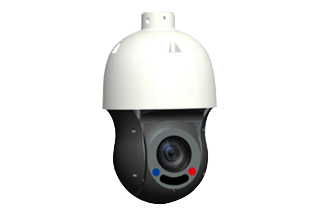
In modern video production, security monitoring, live streaming, and conference room management, capturing the right moment is essential. Manually controlling cameras throughout an event can be time-consuming and may cause important details to be missed. Trigger-based camera calls offer a smarter approach by automatically directing cameras to predefined positions when specific events or audio signals occur.
By linking PTZ camera presets to event triggers and audio inputs, organizations can build responsive camera systems that improve coverage, streamline workflows, and reduce the need for constant manual intervention.
Linking Audio Signals to PTZ Camera Presets
Audio-triggered camera control is particularly useful in environments where the active speaker changes frequently.
Instead of relying on an operator to identify the speaker and reposition the camera, the system can use microphone activity or audio-control data to determine which preset should be recalled.
Microphone Activation as a Trigger
A common configuration uses an audio mixer or conferencing system to detect when a microphone becomes active.
The process typically follows four steps:
-
A participant speaks into a microphone.
-
The audio system detects microphone activity or sends an active-microphone status message.
-
The control system identifies the corresponding participant or camera preset.
-
A command is sent to the PTZ camera to recall that preset.
For example, if Microphone 2 corresponds to the right side of a conference table, activating Microphone 2 can trigger the camera to recall Preset 3.
This setup is particularly useful for hybrid meetings, panel discussions, classrooms, and boardrooms.
Audio Thresholds and Trigger Delays
Not every sound should cause a camera movement. Background conversations, keyboard noise, applause, and sudden environmental sounds can produce unwanted triggers if the system responds too aggressively.
To reduce unnecessary camera movement, configure appropriate audio thresholds and timing rules.
Useful parameters include:
-
Activation threshold: The audio level required to register activity.
-
Hold time: The minimum duration that an audio signal must remain active.
-
Release delay: The time the system waits after audio activity stops before switching away from the current preset.
-
Priority rules: The logic used when multiple microphones are active simultaneously.
-
Cooldown period: A short interval that prevents repeated commands from causing constant camera movement.
These settings help create smoother transitions and prevent the camera from switching between participants too frequently.
Integrating With Digital Audio Systems
Some audio systems can provide more detailed information than a simple active/inactive signal. Depending on the platform, they may report microphone identifiers, channel status, talker information, or control events over a network connection.
A compatible control system can use these messages to associate each audio channel with a specific camera preset.
However, compatibility should always be verified. Audio detection, event messaging, and PTZ control may use different interfaces, communication protocols, or vendor-specific integrations.
Connecting Event Triggers to Camera Presets
Audio is only one possible source of camera automation. Event-based triggers can also connect PTZ cameras to other systems used in a venue.
Contact Closures and Hardware Inputs
Some cameras and control systems support contact closures or configurable digital inputs. These can be connected to buttons, sensors, or external equipment.
For example, pressing a presentation button could recall a camera preset that frames the presenter. A door sensor might trigger a camera to view an entrance, provided that the installation is appropriate and complies with applicable privacy requirements.
The exact wiring and supported input behavior depend on the hardware specifications.
Network-Based Events
For more advanced installations, network messages can connect cameras to room control systems, conferencing platforms, automation software, or event-management applications.
A system might receive a message indicating that a presentation has started and then issue a preset-recall command to a compatible PTZ camera.
Depending on the equipment, integration may use an API, a supported control protocol, a vendor SDK, or a middleware platform.
When designing this type of integration, verify command syntax, authentication requirements, network permissions, and the camera's supported control features.
Motion Detection and Video Analytics
Motion detection and video analytics can also serve as triggers in supported systems.
For example, a camera system might detect movement in a designated area and switch to a preset that provides a closer view of that location.
However, camera-based triggers require careful configuration. Changes in lighting, reflections, moving displays, and background activity can produce false detections.
Use detection zones, confidence thresholds, event filtering, and appropriate delays to improve reliability.
Handling Multiple Triggers and Conflicting Events
One of the most challenging aspects of automated camera control is deciding what happens when multiple events occur at the same time.
Imagine a panel discussion in which two microphones become active simultaneously while a presentation event also requests a camera movement. Without clear priority rules, the camera may repeatedly switch between presets.
A robust control strategy should establish a hierarchy of events.
Define Trigger Priorities
A practical priority structure might place emergency or safety-related system requirements first, followed by manual operator commands, presenter-focused events, active-speaker triggers, and default wide shots.
The exact hierarchy should reflect the application and must not interfere with required safety or privacy controls.
Prevent Rapid Switching
Use a combination of minimum activation times, release delays, cooldown periods, and rules for retaining the current camera position.
For example, the system could wait briefly before switching to a newly active speaker and require the new trigger to remain valid for a minimum duration.
These settings reduce camera movement caused by brief interruptions or overlapping conversations.
Establish a Default State
Every automated camera system should have a defined fallback position or operating mode.
A wide shot is often a useful default for conference rooms and lecture halls because it preserves context when no individual speaker is clearly identified.
If the event source becomes unavailable, the camera can return to this predefined state or remain in its current position, depending on the installation's requirements.
Integrating Trigger-Based Calls Into Video Production
Trigger-based PTZ control can support a variety of video production workflows, especially when multiple cameras and audio sources need to work together.
Live Streaming and Webinars
A microphone event can trigger a close-up of the active presenter, while a presentation event can switch the camera to a wider composition.
This can reduce the need for constant manual preset selection during smaller productions.
However, automated camera movement does not replace production judgment. Transitions, audience reactions, visual storytelling, and shot composition may still require an operator.
Education and Lecture Capture
In classrooms, PTZ presets can be associated with a lectern, whiteboard, demonstration area, or audience-facing position.
A presentation system event may trigger a camera to frame the teaching area, while a microphone event can direct the camera toward a designated speaker.
These workflows can help create more consistent recordings, particularly in rooms with repeatable layouts.
Corporate Meeting Rooms
In conference rooms, active-microphone data can be used to identify the likely speaker and recall the corresponding camera preset.
When combined with a conferencing platform, this can improve automated framing and help remote participants follow discussions.
For rooms with frequently changing seating arrangements, presets should be reviewed and updated whenever the layout changes.
Security, Reliability, and Privacy Considerations
Because trigger-based camera calls combine multiple devices and control interfaces, system security is an important part of implementation.
Use authenticated control interfaces where available, restrict access to authorized users and devices, and isolate camera-control traffic according to the organization's network security policies.
Keep firmware and control software updated, and monitor relevant system logs for failed commands or unexpected configuration changes.
Privacy should also be considered when cameras respond automatically to microphones, motion, or other events. Make sure the system operates within the intended recording and monitoring boundaries, provide appropriate notices, and apply relevant consent and data-protection requirements.
Finally, test the entire workflow before putting it into production. Simulate normal events, overlapping triggers, network interruptions, and manual overrides to verify that the system behaves predictably under both normal and exceptional conditions.
Trigger-based camera calls provide an effective way to connect PTZ camera presets with audio signals, hardware inputs, network events, and control-system logic. By translating events into predefined camera movements, organizations can reduce repetitive manual work and create more responsive video experiences.
The key to success is thoughtful integration. Reliable event detection, well-planned presets, clear priority rules, suitable timing parameters, and robust error handling all contribute to a system that performs consistently.
Whether you're designing a conference room, lecture hall, live streaming setup, or automated production environment, linking PTZ presets to events and audio can make camera control more efficient and predictable.