In IP video surveillance, latency is one of the most misunderstood performance factors. You might see clear video, stable connections, and working cameras — yet still experience a noticeable delay between real-world events and what appears on screen. That delay is streaming latency, and in security, industrial monitoring, or traffic control, even a few seconds can matter.
What Is Latency in IP Camera Systems?
Latency is the time delay between:
Event happens in front of the cameraVideo travels through the networkVideo appears on the monitoring screen
In most systems, latency ranges from 200 milliseconds to several seconds, depending on configuration and network conditions.
Main Sources of Latency
IP camera delay doesn’t come from just one place. It builds up across the entire video pipeline.
1️⃣ Camera Processing Delay
Before video even leaves the camera, it goes through:
- Image sensor capture
- ISP (image signal processing)
- Noise reduction
- WDR processing
- Compression (H.264 / H.265 encoding)
Higher resolutions + advanced features = more processing time.
2️⃣ Video Compression Delay
Modern codecs improve bandwidth efficiency but can increase delay.
- H.265 → Better compression, slightly higher latency
- High GOP (Group of Pictures) → Longer delay
- Heavy bitrate control → Buffering before transmission
Compression is a major trade-off between image quality, bandwidth, and delay.
3️⃣ Network Transmission Delay
The network is often the biggest source of latency.
Common causes:
- Limited bandwidth
- Network congestion
- Long-distance routing
- Wireless interference
- Poor switch/router performance
Each network device adds micro-delays that stack up.
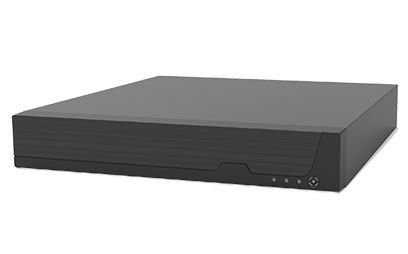
4️⃣ NVR / Server Processing Delay
When video reaches an NVR or VMS server:
- Stream decoding
- Recording
- AI analytics
- Re-encoding for clients
All these tasks introduce additional delay.
5️⃣ Display & Client Buffering
Monitoring software usually buffers video to prevent freezing.
- Larger buffer = smoother video but more delay
- Web browsers often have higher latency than dedicated VMS clients
How to Reduce IP Camera Latency
Here are practical optimization steps:
✅ Use Low-Latency Encoding Settings
- Shorter GOP
- Disable excessive image enhancement
- Use CBR instead of VBR in critical systems
✅ Improve Network Performance
- Use Gigabit switches
- Separate surveillance VLAN
- Prefer wired over Wi-Fi
- Reduce hops between camera and NVR
✅ Optimize Resolution and Frame Rate
- Lowering from 4K to 1080p can significantly cut delay
- Avoid unnecessary high FPS
✅ Choose the Right Streaming Protocol
- RTSP over UDP → lower latency
- HTTP/HTTPS streaming → higher delay
✅ Adjust Client Buffer Settings
Reduce buffer size in VMS software when real-time response matters
When Low Latency Is Critical
Latency optimization is especially important in:
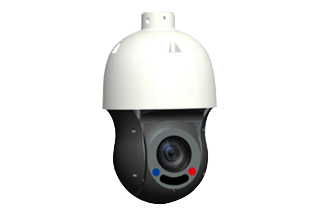
- PTZ camera control
- Traffic monitoring
- Industrial process monitoring
- Perimeter security
- Live incident response
In these cases, the goal is sub-second latency.
Latency in IP camera streaming is the result of processing + compression + network + server + display buffering. Improving just one area may not solve the issue — optimization must be system-wide.